
Code to host EntryThingy on your website
EntryThingy can be embedded directly on your website, allowing visitors to view and submit to your calls for entries without leaving your site.
If you don't know what version you are- you are probably on version 2!
Version 2:
Go to your call's public page, and copy the URL
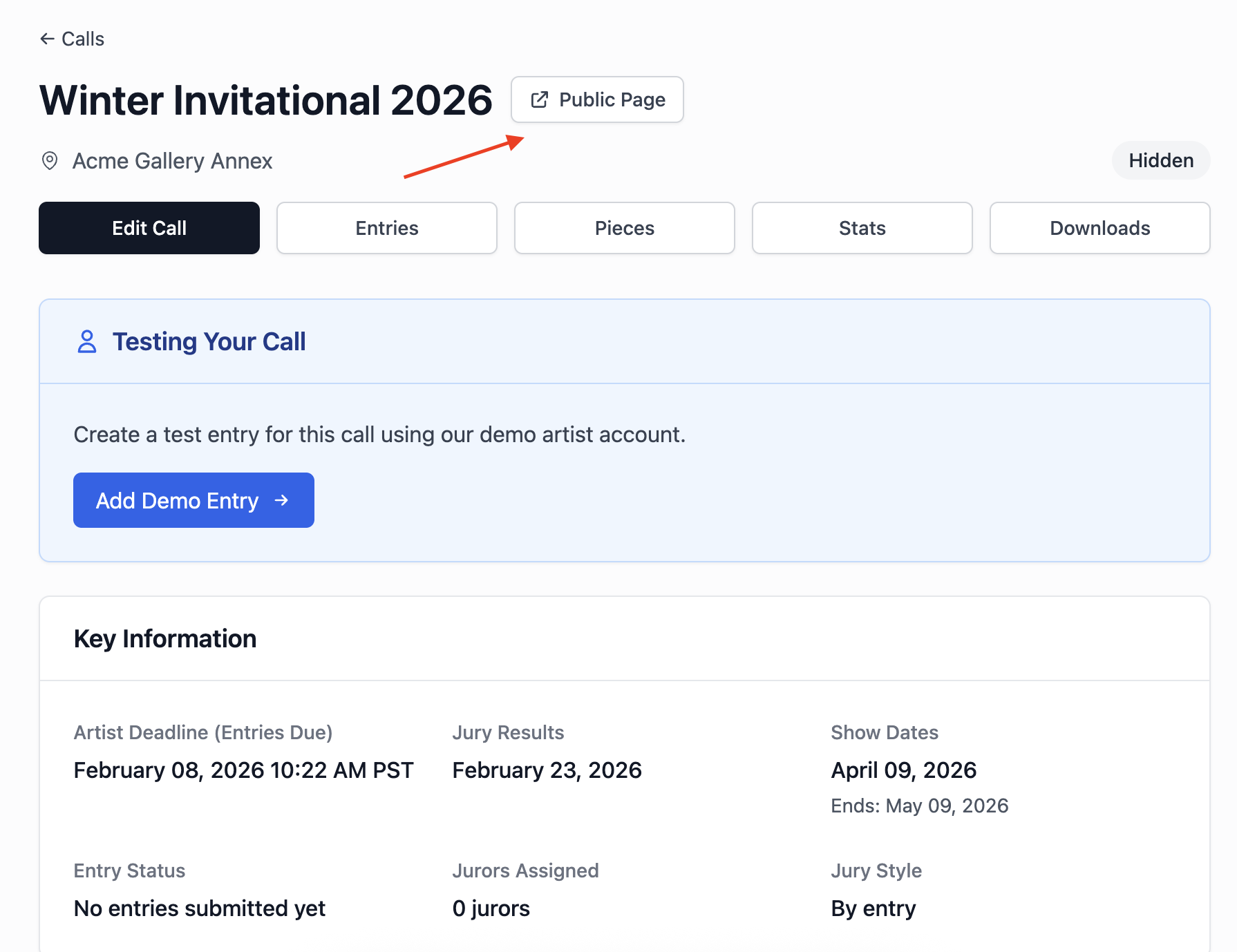
Then, on your website where you wish to embed EntryThingy, paste the following in:
<iframe
src="COPIED URL HERE"
width="100%"
height="800px"
frameborder="0"
title="EntryThingy Form">
</iframe>
Paste in your url, save, and boom! That's it.
Version 1:
Generate Your Site Code
Your site code is created by encoding your gallery domain in base64 format with the prefix s1.
Manual Generation
To generate your site code manually:
- Take your gallery domain (exactly as it appears on EntryThingy)
- Example:
yourgallery.com - You can use an online base64 encoder like base64encode.org
- Example:
- Add the
s1.prefix to the encoded string- Result:
s1.eW91cmdhbGxlcnkuY29t
- Result:
This is your site code!
Example Site Codes
| Domain | Base64 Encoded | Site Code |
|---|---|---|
gallery.com |
Z2FsbGVyeS5jb20= |
s1.Z2FsbGVyeS5jb20= |
myartspace.org |
bXlhcnRzcGFjZS5vcmc= |
s1.bXlhcnRzcGFjZS5vcmc= |
example.net |
ZXhhbXBsZS5uZXQ= |
s1.ZXhhbXBsZS5uZXQ= |
Embed the Code
Once you have your site code, add the following HTML to your website where you want EntryThingy to appear:
<!DOCTYPE html>
<html lang="en">
<head>
<meta charset="UTF-8">
<meta name="viewport" content="width=device-width, initial-scale=1.0">
<title>Art Exhibition - Powered by EntryThingy</title>
</head>
<body>
<header>
<h1>Annual Art Exhibition</h1>
<nav>
<a href="#calls">Current Calls</a>
<a href="#submit">Submit Artwork</a>
<a href="#gallery">Featured Gallery</a>
</nav>
</header>
<main>
<!-- EntryThingy Embed -->
<section id="entrythingy">
<script src="https://s3.amazonaws.com/entrythingy/resources/entrythingy.js" type="text/javascript" language="Javascript"></script>
<iframe id="et_uploadtarget" name="et_uploadtarget" src="" style="width:0px;height:0px;border:0"> </iframe>
<div id='et_apparea' style='text-align:left;'>
<p>
<img src="https://s3.amazonaws.com/entrythingy/images/loading.gif">
<a href="https://www.entrythingy.com">Loading EntryThingy...</a>
</p>
</div>
<script type="text/javascript" language="Javascript">
var sitecode="YOUR_SITE_CODE";
entryThingy();
</script>
</section>
</main>
</body>
</html>
Important: Replace YOUR_SITE_CODE with the site code you generated above (e.g., s1.eW91cmdhbGxlcnkuY29t ).
What Gets Embedded
When you embed EntryThingy using your site code, your complete EntryThingy interface will load on your website, including:
- Your active calls for entries
- Submission forms for artists
- Any widgets you've configured (like gallery displays)
The interface automatically adapts to your screen size and includes all your EntryThingy features.
Testing Your Integration
Before going live:
- Test the embed in a staging or development environment first
- Verify that your site code is correct and loads your EntryThingy account
- Test the submission process to ensure entries are being received
- Check that the interface displays correctly on mobile and desktop devices
Troubleshooting
EntryThingy doesn't load:
- Double-check your site code format: it should be
s1.followed by your base64-encoded domain - Verify the domain matches exactly what's in your EntryThingy account
- Check your browser's developer console for any JavaScript errors
Wrong gallery loads:
- Make sure you're encoding the correct domain
- The domain should match exactly what you see in your EntryThingy account settings
Need Help?
If you have questions about embedding EntryThingy or run into issues, please contact us at hello@entrythingy.com.