
How do I ask for depth in the dimensions?
If you have artists submitting 3D work or physical sculptures, you may want more dimensions than just height and width. By default on EntryThingy, if you have artists input dimensions, height and width will be the two that show up with an ability to select the units, such as inches or feet.
As part of the new version of EntryThingy, we now have a third dimension field you can input ("depth")! To enable it:
- Find the call in question and click Edit to get into the call settings
- Expand the Piece Requirements section
- Click the Advanced collapsible at the bottom of that section
- Check the box labeled Ask for Depth
- Make sure Dimensions is also turned on in the "Fields for each artwork" toggles above
- Now, your artists will be prompted to also enter a depth field when uploading their work
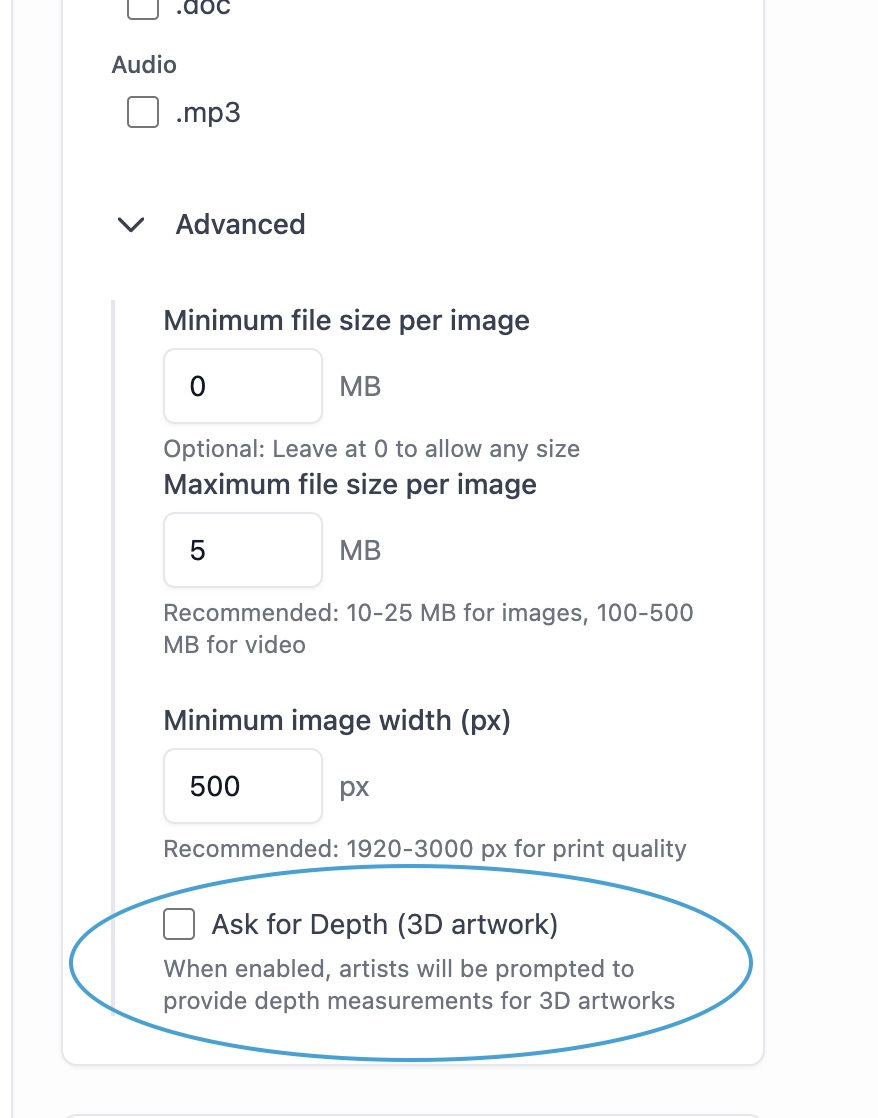
Enable depth in the Advanced section of the calls settings
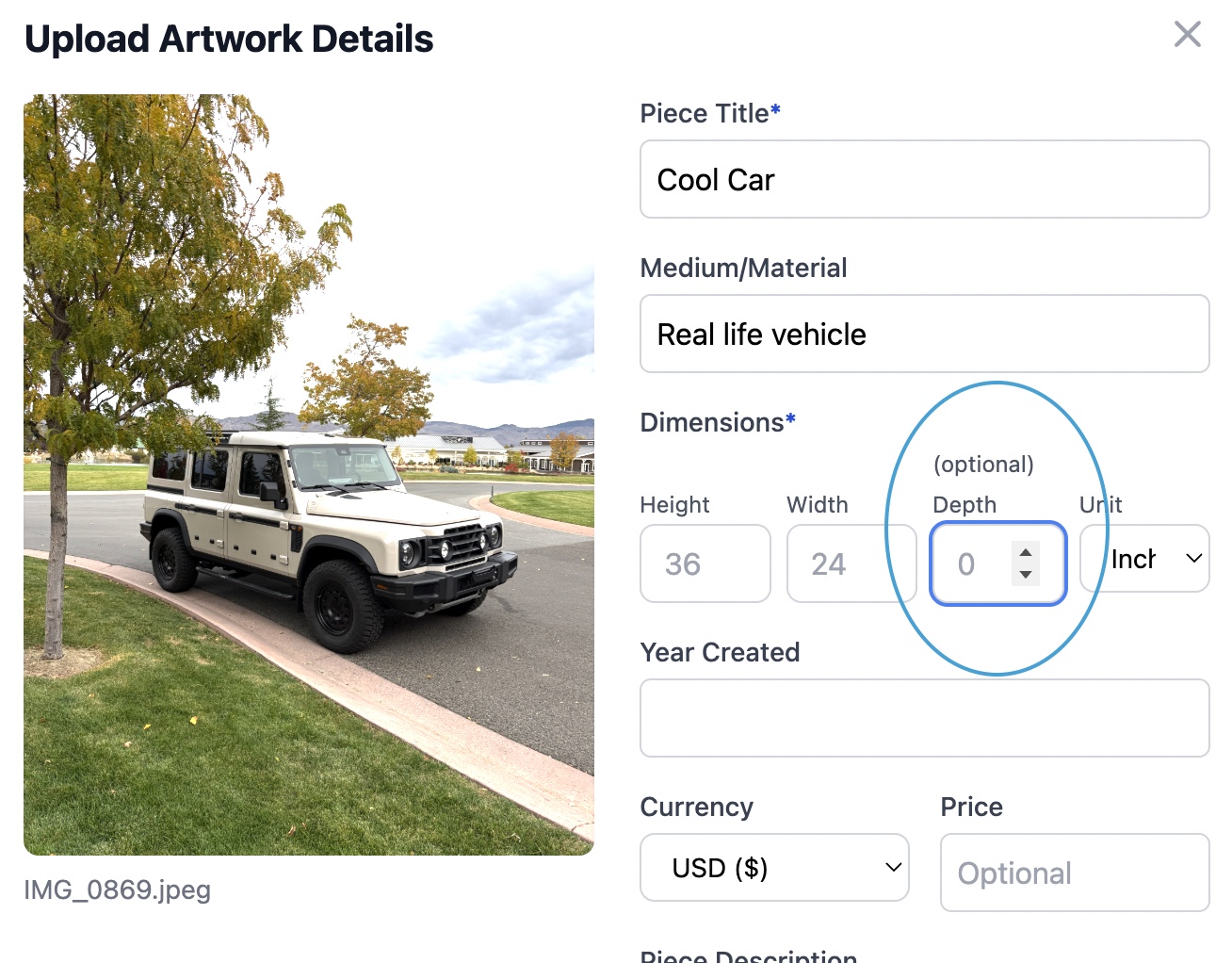
This is what the dimensions field looks like to artists
Thanks to National Sculpture Society for pointing this out!