
What file types can be uploaded?
When creating or editing a call, you can choose which file types artists are allowed to upload. Here are the supported file types:
Supported File Types
Images: - .jpg / .jpeg - Standard image format (most common) - .png - Image format with transparency support - .gif - Animated or static images
Video: - .mov - QuickTime video format - .mp4 - Standard video format - .m4v - MPEG-4 video format - .avi - Audio Video Interleave format
Documents: - .pdf - Portable Document Format (for resumes, artist statements, etc.) - .doc / .docx - Microsoft Word documents
Audio: - .mp3 - Compressed audio format
How to Configure File Types
During call creation or when editing a call's settings, you'll find checkboxes for each file type category. Simply check the boxes for the types you want to allow:
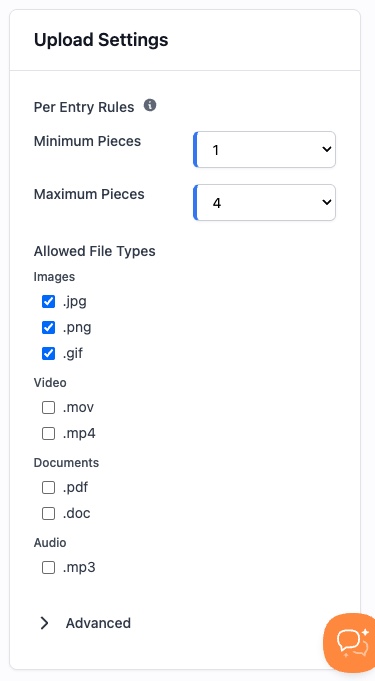
Note: You must select at least one file type for your call. Most calls select "Images" at minimum, with additional types based on the media they're accepting (video art, sound art, PDF portfolios, etc.).